
Running a law firm means juggling intake, deadlines, documents, billing, and client questions, often all in the same hour. Legal practice management software exists to pull those separate jobs into one workspace instead of several disconnected tools. One example of this category is MyCase, built around the idea that cases, clients, billing, and payments should live in a single place rather than across spreadsheets, inboxes, and file folders.
Centralizing the Daily Operations of a Law Firm
At its core, legal practice management software centralizes the daily operations of a law firm. That typically includes tracking case details, storing documents, logging billable time, generating invoices, and keeping client communication organized. Instead of switching between a calendar app, a separate billing tool, and an email client, a firm works from one connected system.
This category also tends to include reporting, so partners and staff can see caseloads, revenue, and deadlines without digging through separate records. For small and midsize firms especially, consolidating these functions can reduce the number of places where information gets lost. That general promise sets up how a specific platform approaches the work.
MyCase’s Unified Approach to Cases, Clients, and Billing

MyCase describes itself as built to run a profitable firm, not just manage cases, and that framing shows up in how its features are grouped. Cases, clients, documents, and billing stay together so a team does not have to switch tabs to find basic information. The platform also includes an AI case assistant that can be asked about case statuses, upcoming deadlines, or a financial overview directly within the system.
Because MyCase is part of the 8am professional business platform, its tools extend beyond casework into financial insight for the firm as a whole. That includes customizable financial reporting with real-time analytics on firm performance. The stated goal, per the brand’s own materials, is a connected solution rather than scattered tools and clunky workflows.
Client Intake and Lead Management in MyCase
Before a case even opens, firms need a way to capture and qualify leads, and this is one of the more detailed areas of the feature set. Customizable online intake forms use conditional logic, meaning questions can change based on how a prospective client answers earlier ones. Forms can be tailored by practice area, for example adjusting details for insurance cases versus other matter types, and they can carry a firm’s own branding and logo.
Lead tracking happens through a built-in CRM with a Kanban-style pipeline view, so staff can see where each prospect sits from first contact to signed client. Consultations can be booked with a single click, and appointment reminders go out automatically. There is also no stated limit on the number of lead forms a firm can build, which allows separate forms per practice area or marketing channel for tracking return on investment.
Case Management and Document Automation Features
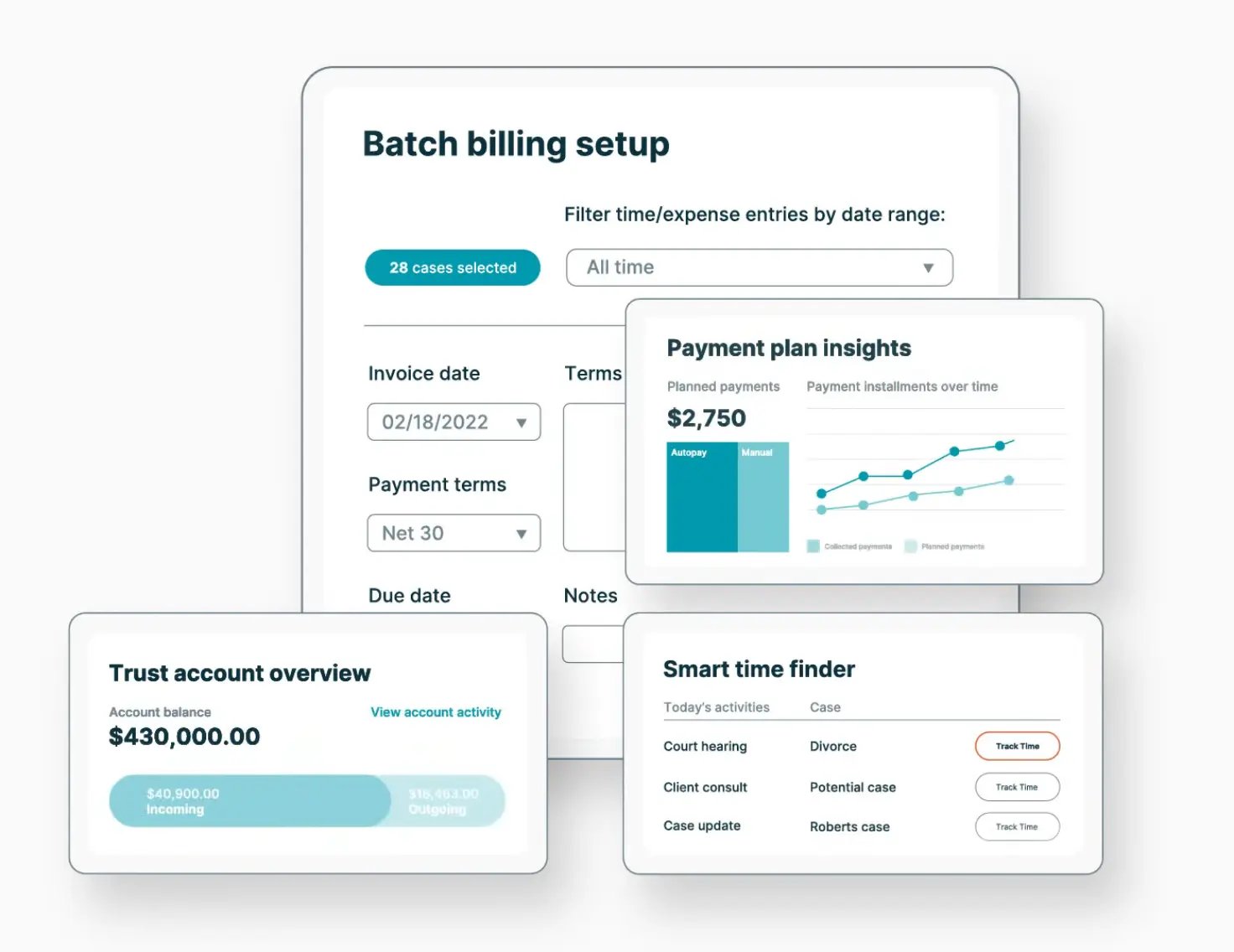
Once a lead becomes a client, the system shifts into case management, where calendaring, document handling, and workflow automation come together. Calendars combine firm-wide and individual events, link directly to cases, and can calculate deadlines based on jurisdiction rules for a given case type. Outlook and Google calendar syncing is also part of this feature set.
Document creation lets a firm build new files from templates, auto-populated with client names, addresses, and standard clauses, and multiple documents can be generated at once. Document management then keeps everything in a searchable, unlimited-storage system that syncs with Dropbox, Microsoft Word, and Adobe. On top of that, automated workflows can generate document sets and task lists as soon as an intake form is submitted, which keeps case setup consistent across a practice area.
Time Tracking, Billing, and Payment Processing

Billing is often where firms lose revenue through undocumented time, and legal practice management software is frequently judged on how well it handles this gap. MyCase tracks time and expenses across client projects and can send reminders for commonly forgotten tasks. Multiple billing rates can be tracked for the same matter, which matters for firms handling varied case types or staff levels.
Invoices can be generated automatically from tracked time rather than assembled by hand. Payment processing runs through 8am LawPay, accepting debit, credit, eCheck, and client fee financing through Affirm, with support for scheduled and recurring payment plans. Next-day payments are also part of that processing setup, which affects how quickly a firm sees funds move from client to account.
Client Communications and the Client Portal
Client service is the final piece of the structure, built around a secure portal available at any hour. MyCase positions the portal as a way to build trust while reducing the volume of manual outreach a staff member would otherwise handle. Unlimited texting through a dedicated number, along with reminders, is included alongside the portal itself.
E-signature tools also connect to this client-facing side of the platform, letting retainers and agreements get signed and tracked without separate software. Staff can see at a glance what has been signed and what is still pending. Together, these pieces keep a client informed without requiring a phone call for every update.
- Lead capture and client intake are handled through customizable, conditional-logic forms tied to a built-in CRM.
- Case management covers calendaring, deadline calculation, and document creation from auto-populated templates.
- Document storage offers unlimited space with search, tagging, and syncing to tools like Dropbox and Adobe.
- Time entry and expense tracking support multiple billing rates on a single matter.
- Billing and invoicing generate invoices automatically from tracked time rather than manual entry.
- Payment processing, run through 8am LawPay, accepts debit, credit, eCheck, and Affirm-based financing with scheduled payment plans.
- Client communication runs through a secure portal plus unlimited texting from a dedicated number.
These pieces show what a modern legal practice management platform is expected to cover, from the first intake form to the final payment. A single system can absorb that range of daily tasks instead of leaving firms to stitch together separate tools.